

3D Printing Automation
INNOCUBE3D · 3D PRINTING AUTOMATION
Manage Your 3D Printers.
Automate Your Workflow.
One workflow for managing printers, organizing jobs, running production queues and reducing repetitive manual work — from one desktop printer to a growing small print studio.
Start with the printers you already own. Add automation where it makes a real difference.
ASWAP · Multi-Printer Workflow BETA

Multi-Printer Manage supported printers in one workflow
Farm Queue Organize jobs and production order
Free ASWAP Beta Available for Windows
Hardware Automation SwapMod for supported A1 workflows
THE PROBLEM
3D printing becomes a workflow problem as you grow.
One printer is simple. Multiple printers, repeated jobs and small-batch production are different. The work between prints starts taking as much attention as the printing itself.
01
Too many printers Which machine is ready, printing or needs attention?
02
Too many jobs Which file should print next and where?
03
Repetitive manual work Moving between printers and jobs wastes time.
04
Physical bottlenecks Software cannot remove every physical task by itself.
THE WORKFLOW
From prepared file to repeatable production.
A practical automation system connects the digital workflow with the physical printer.
01
Prepare
Slice for the correct printer.
02
Import
Bring the prepared job into ASWAP.
03
Assign
Select printer and production order.
04
Run and track the job.
05
Repeat
Continue with less manual work.
SOFTWARE LAYER
Meet ASWAP.
ASWAP is the software layer of the INNOCUBE3D automation ecosystem. It is built around real printing workflows: printers, jobs, queues, production history and automation.
✓ Multi-printer management
✓ Prepared print-file import
✓ Farm Queue and production order
✓ Start / Pause / Resume / Stop
✓ Job history and state recovery workflows
✓ Material and AMS-related workflows where supported
MULTI-PRINTER MANAGEMENT
One workflow for more than one printer.
Managing a growing number of printers should not mean opening a different application for every machine. ASWAP is being built around the production tasks that become difficult when several printers run at once.
01 Which printer is running?
02 Which job is next?
03 Which jobs need attention?
04 Which printer should receive the prepared file?
05 What happened to the previous job?
MULTI-BRAND DIRECTION
Your printers don't have to be the same.
ASWAP is being developed toward a multi-brand printer workflow instead of locking users into one ecosystem.
BAMBU
CURRENT FOCUS
Bambu Lab
Current development and testing focus.
U1
IN DEVELOPMENT
Snapmaker
U1 integration direction.
C5
IN DEVELOPMENT
Flashforge
C5 integration direction.
K3
IN DEVELOPMENT
Creality
K3 integration direction.
Printer support is model- and release-dependent. We only mark a printer as fully supported after real hardware and workflow testing.
SEE AUTOMATION IN ACTION
From software workflow to physical automation.
See how INNOCUBE3D connects print management with automatic plate handling.
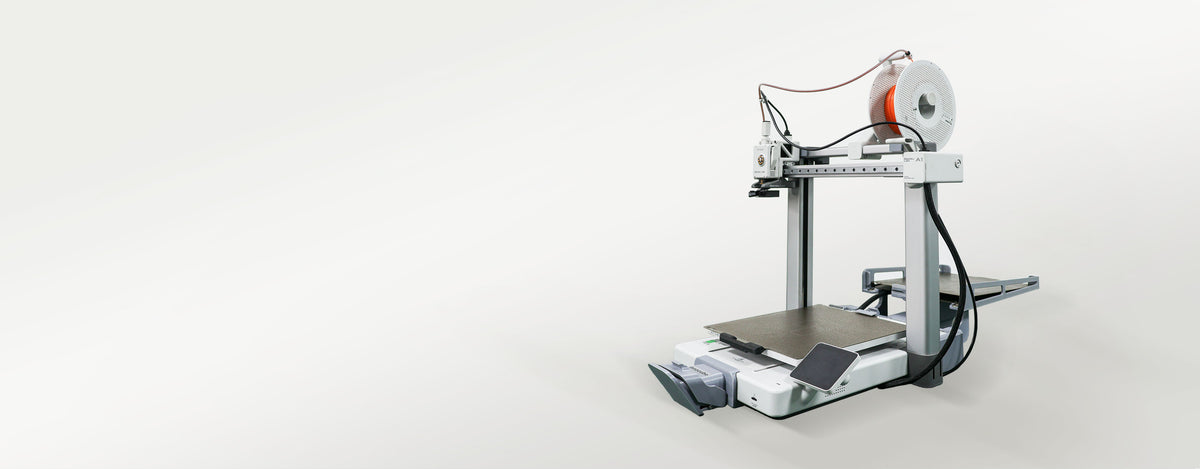
ASWAP manages the workflow. SwapMod handles the physical plate-changing step for supported Bambu Lab A1 workflows.
INNOCUBE3D AUTOMATION
Software manages the workflow.
Hardware removes physical bottlenecks.
Our goal is not another isolated tool. It is a practical automation system for desktop 3D printing.
SOFTWARE
ASWAP
Printer management, prepared jobs, production queues, history and automation logic.
Explore ASWAPPHYSICAL AUTOMATION
SwapMod
Mechanical automatic build-plate handling for supported Bambu Lab A1 workflows.
Explore SwapModBuild the workflow once.
Reduce repetitive work every day.
The long-term INNOCUBE3D direction is to connect printer management, job scheduling and physical automation into one production workflow.
ASWAP
→
Job Queue
→
Printer
→
Physical Automation
→
Next Job
WHO IS IT FOR?
Start with one printer. Build from there.
Automation isn't only for industrial-scale farms. It can make small production workflows easier to manage too.
01 · MAKERS
Repeat More. Manage Less.
Run repeat jobs and longer print sessions without constantly moving between files and printers.
02 · SMALL BUSINESSES
Organize Small-Batch Production.
Keep production jobs, printers and priorities in one structured workflow.
03 · SMALL PRINT STUDIOS
Grow Your Printer Fleet.
Start with a few machines and build toward a more organized multi-printer operation.
GETTING STARTED
Start small. Build a reliable workflow.
You don't need a large printer farm to begin.
01
Choose Your Printer
Start with the printer you already use and verify its supported workflow.
02
Prepare Your Files
Slice models using compatible slicing software and verify the settings.
03
Manage Your Jobs
Import prepared files, assign printers and organize the production queue.
04
Add Automation
Add physical automation such as SwapMod where it fits your workflow.
WHAT WE ARE BUILDING
From printer management to production automation.
INNOCUBE3D is developing an ecosystem around real desktop 3D printing workflows.
Current
Multi-Printer Management
Connect and manage supported printers from a unified workflow.
In Development
Smarter Scheduling
Improve task allocation and production planning across multiple machines.
In Development
Job Recovery
Make interruptions and recovery easier to understand and manage.
In Development
Physical Automation
Connect software workflows with hardware such as automatic plate changing.
In Development
Material Workflows
Improve material, AMS and external-spool workflows where supported.
Future
Production Monitoring
Build better visibility into printer, network and production conditions.
FAQ
3D Printing Automation Questions
What is 3D printing automation?
3D printing automation connects printer management, prepared print jobs, production queues and physical printer operations so fewer repetitive tasks require manual intervention.
What is ASWAP?
ASWAP is INNOCUBE3D's Windows software for printer management, print-job workflows, queues, production history and related automation features. It is currently available as a free Beta.
Does ASWAP replace Bambu Studio?
No. ASWAP focuses on managing prepared print jobs and production workflows. Models should be prepared and sliced using compatible slicing software first.
Can ASWAP manage multiple 3D printers?
Multi-printer management is a core part of the ASWAP Beta. Exact functions depend on the supported printer model, software version and network configuration.
Does ASWAP support multiple printer brands?
INNOCUBE3D is developing ASWAP toward a multi-brand workflow. Printer support is model- and release-dependent. Each integration must be validated with real hardware before being presented as fully supported.
What is SwapMod?
SwapMod is a mechanical automatic build-plate changer designed specifically for supported Bambu Lab A1 workflows. It provides the physical plate-changing step for repeat printing and small-batch automation.
Do I need SwapMod to use ASWAP?
No. ASWAP can be used for supported printer and production-management workflows without SwapMod. SwapMod adds physical automatic build-plate handling.
Is ASWAP ready for unattended production?
ASWAP is currently Beta. Test your own printer, network, material and workflow before relying on it for unattended or critical production.
Start with the printers
you already own. Build from there.
Use ASWAP to organize your printing workflow. Add physical automation where it makes a real difference.
- Choosing a selection results in a full page refresh.


